One inspection engine. Every asset.
Built by responders who've reached for gear that wasn't there. Forge Inspect is the only readiness layer connecting vehicles, facilities, equipment, and radios — so the right asset is operational, in place, and ready for the call.
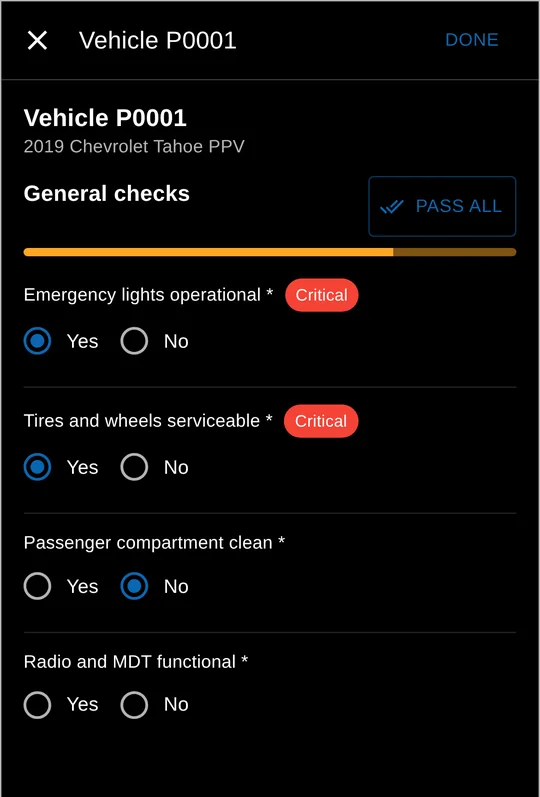
Forge Fleet · demonstration data
Define once. Run anywhere.
An inspection is a template, not a feature bolted onto one screen. Build it once and Forge runs it against whatever asset you point it at.
Define
Build the checklist once — items, pass criteria, and what counts as a flag.
Schedule
Set it daily, pre- and post-trip, or on a maintenance interval.
Run
The field completes it on mobile — fast, in the order the work happens.
Record
Results, flags, and history are kept against the asset for audit and trend.
Live inside Forge Fleet.
A program such as a monthly AED and fire-extinguisher check is scoped to the units and assets it covers. Equipment on out-of-service vehicles is excluded automatically, and the field runs the check from a phone.
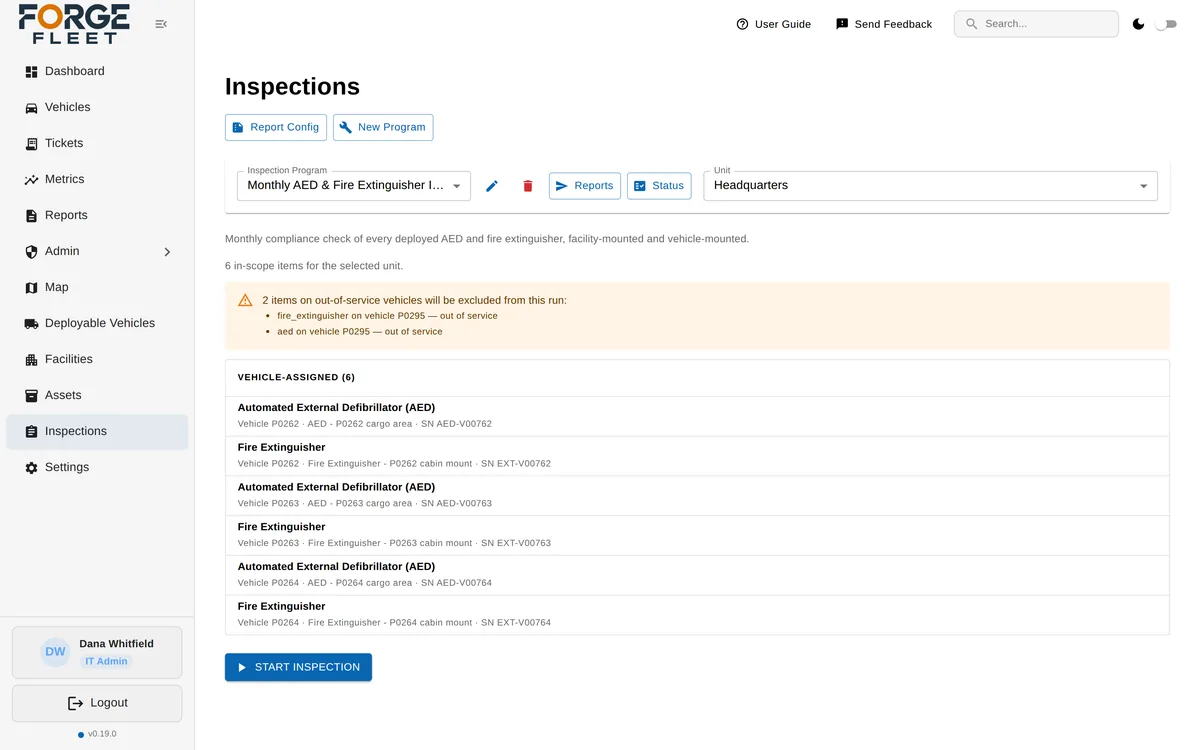
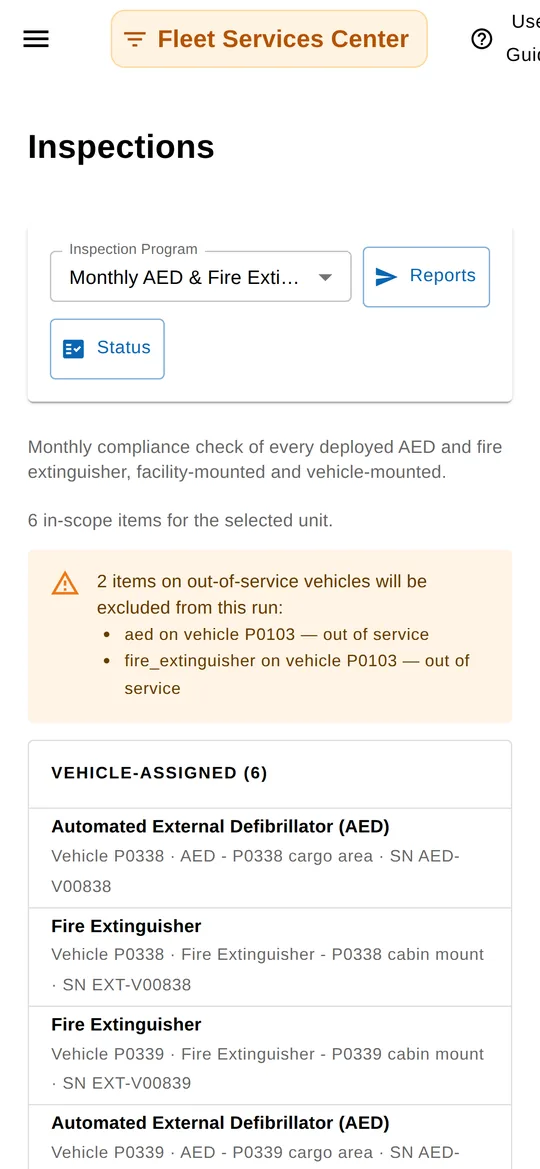
Forge Fleet · demonstration data
The same inspections, across the suite.
Vehicles
- Daily, pre- and post-trip checks
- Equipment and gear checks
- Maintenance-interval inspections
Facilities
- Generator load tests & fuel
- Extinguishers & AEDs
- Evac plans & regulatory inspections
Radios
- Maintenance checks
- Programming campaigns
- Lifecycle & service records
Forge Inspect has no standalone use. It amplifies whatever Forge modules you run.
It is the readiness layer underneath the suite — available today inside Forge Fleet, and expanding to Site and Radio as they ship.
See inspections in Forge Fleet.
Forge is rolling out module by module. Get on the pilot list and we'll keep you posted — and reach out as pilot spots open for the modules your agency runs on.